Create and set up a Customer/Shipper/Consignee Account, along with its associated Contacts.
Account Setup
The simplest way to create a new Account is to navigate to the Accounts list view and select the New button. Set the TMS Type for each Account that best describes it, for example, Customer and Shipper/Consignee.
To automatically create a Transportation Profile for this account, leave the Transportation Profile field blank during Account creation.
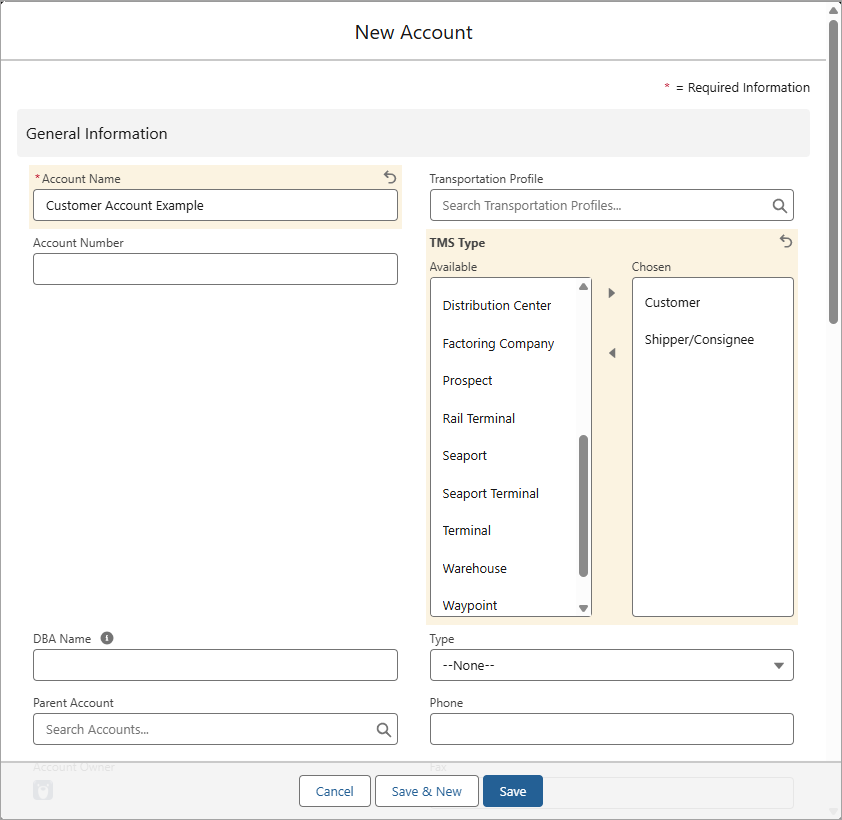
Note: Enter the Shipping Address fields when creating a customer account. When creating Stops in the Load Configuration LWC, the Street Address, City, Postal Code, and Country fields are required to effectively create a Load.

Customer Accounts
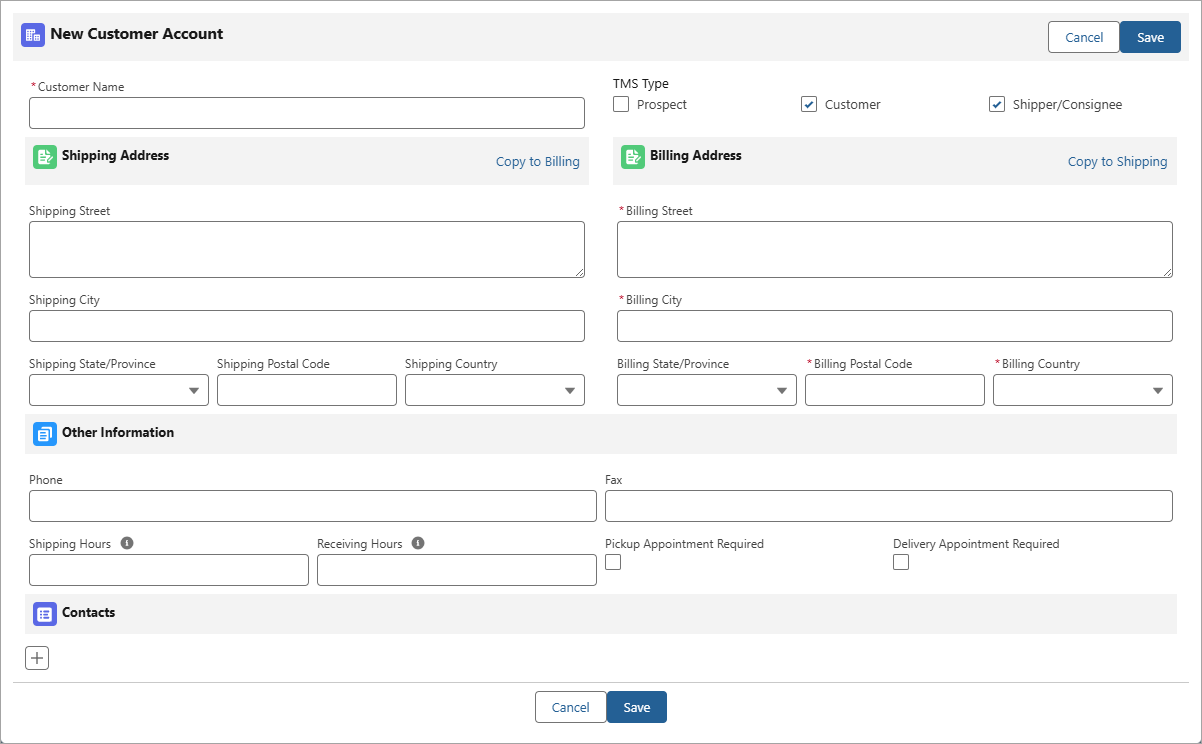
Another way to create Customer/Shipper/Consignee Accounts is by creating a Load in the Load Configuration Lightning Web Component (LWC).
Shipper/Consignee Accounts
If configured, customers can create Shipper/Consignee Accounts from the Customer Portal in the Load Entry Page.
Shipper/Consignee Accounts can also be created from an inbound EDI 204 transaction when an account is not found during location matching. See the EDI Locations article for more details.
Contact Setup
Create new Contacts for the Customer/Shipper/Consignee Account. Set up the Transportation Role field for each Contact based on their roles with the Account.
.png)
Customer Quotes and Invoices
When creating a Customer Invoice record, the Billing Contact can be auto-populated if the Bill To Account on the Load is populated, and at least one Contact record for that account has the Billing value in the Transportation Role field.
All Quoting customer Contacts are included as recipients when a Customer Quote is emailed.
All Billing customer Contacts are included as recipients when a Customer Invoice is emailed.
Appointment Requests
Contacts with the Appointments value in the Transportation Role field are emailed Appointment Requests as the “To” recipient from the following locations in the TMS:
The Load Detail LWC,
The Appointment Setting in the Fleet Management Console,
The Appointment Console LWC, and
Note: Be sure to set the Contact who should respond with the available appointment times with this Transportation Role before sending Appointment Request emails.