Create a new Account record for a Stop by selecting the New Location  button to the right of the address search fields in both the Stop Configuration Quick and Stop Configuration Detailed Lightning Web Components (LWCs).
.jpg)
The New Location modal opens, allowing you to enter information for a new Stop.
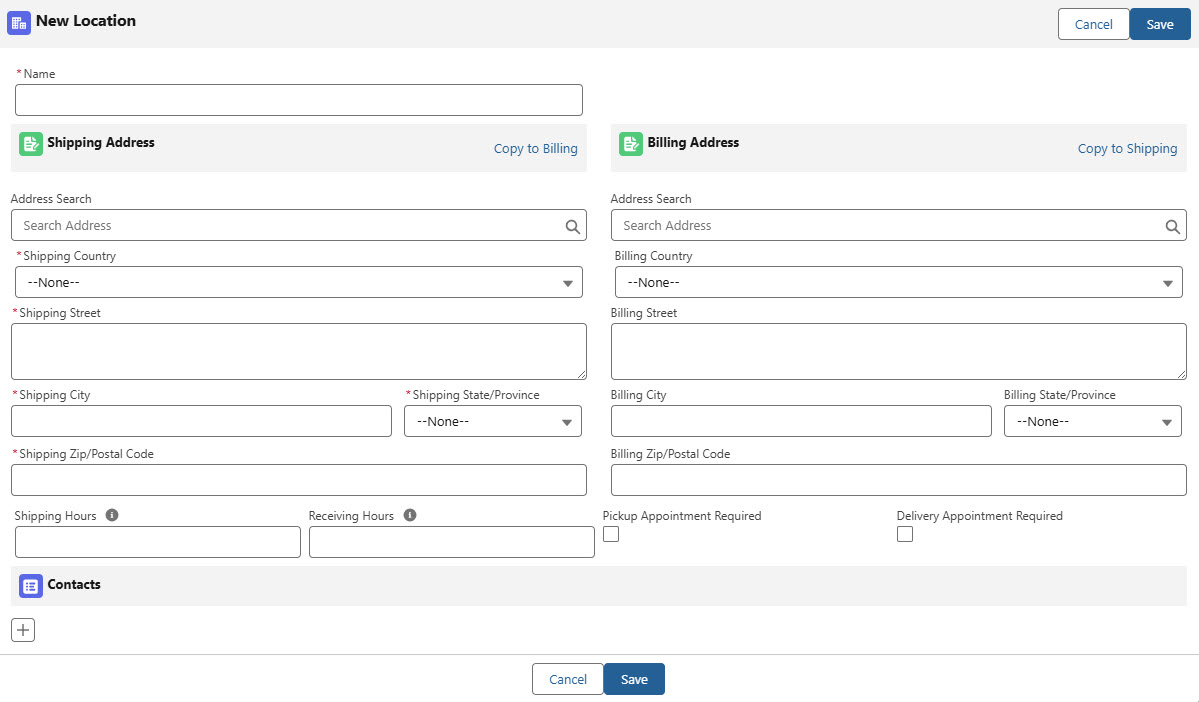
Default required fields include the following:
Name
Shipping Street
Shipping City
Shipping Postal Code
Shipping Country
Note: The Shipping Country and Billing Country fields automatically populate with a value based on the Default Country for Load Creation field in the Global Settings section in TMS Admin → Configuration.
An Address Search field is provided for both Shipping and Billing fields that auto-completes and validates addresses with Google.
When completing a shipping address search, the following fields are populated based on the search results.
Shipping Street
Shipping City
Shipping Postal Code
Shipping State
Shipping Country
When completing a billing address search, the following fields are populated based on the search results.
Billing Street
Billing City
Billing Postal Code
Billing State
Billing Country
The following fields are additional information that may be added to the Stop location.
Shipping Hours
Receiving Hours
Pickup Appointment Required
Delivery Appointment Required
Select the Copy to Billing link to copy the Shipping Address information to the Billing Address. Select the Copy to Shipping link to copy the Billing Address to the Shipping Address.
Once the form is saved, the Stop Type is set to Account Address using the Shipping Address information, and the Shipping/Receiving Hours and Appointment Required fields are populated.
Note: The Account created has the TMS Type set to Shipper/Consignee and contains the Name, Shipping Address, and Billing Address information from the modal.
The Transportation Profile that is automatically created alongside the Account record contains the Shipping/Receiving Hours and Appointment Required information from the modal and has the Record Type set to Shipper/Consignee.
Create Contacts
Select the Add Contact  button below the Contacts section in the modal to create a new Contact record for the Stop.
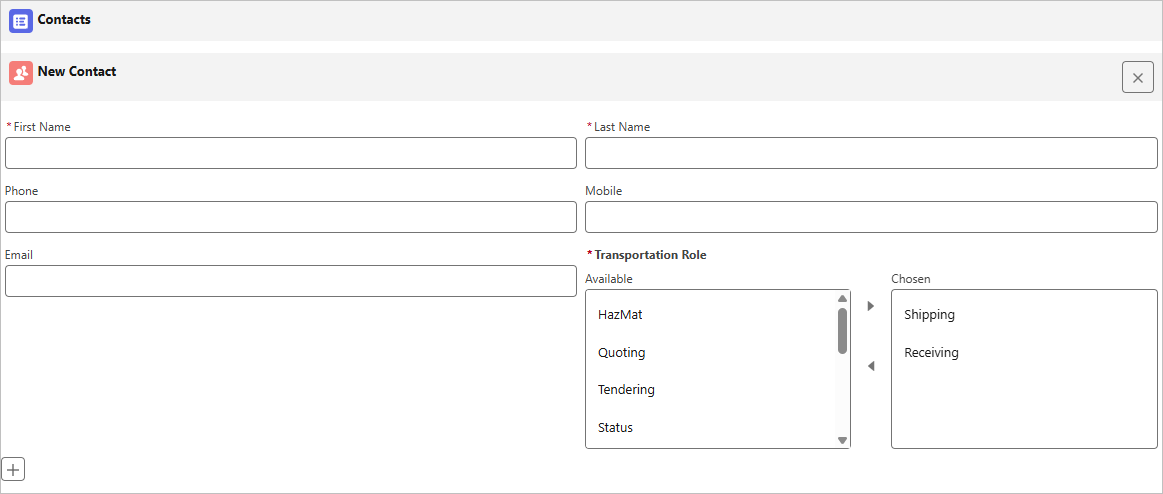
Enter the First Name and Last Name of the Contact in their respective fields.
Add additional Transportation Roles to the Chosen column as desired. By default, the Shipping and Receiving values are added.
The following fields are additional information that you may add:
Phone
Mobile
Email
Remove a Contact with the Delete Contact  button in the New Contact header.
Select Save when finished creating the Stop location and Contact records.
Note: Contacts created are related to the Account record for the Stop location.