Credit Limit Management
Customer credit limits can be enforced in the TMS and in any Customer Portal. Enable this feature from TMS Admin → Configuration. Check the Enforce Customer Credit Limits field.

Manually set the credit limit for each customer on the (Shipper/Consignee) Transportation Profile.
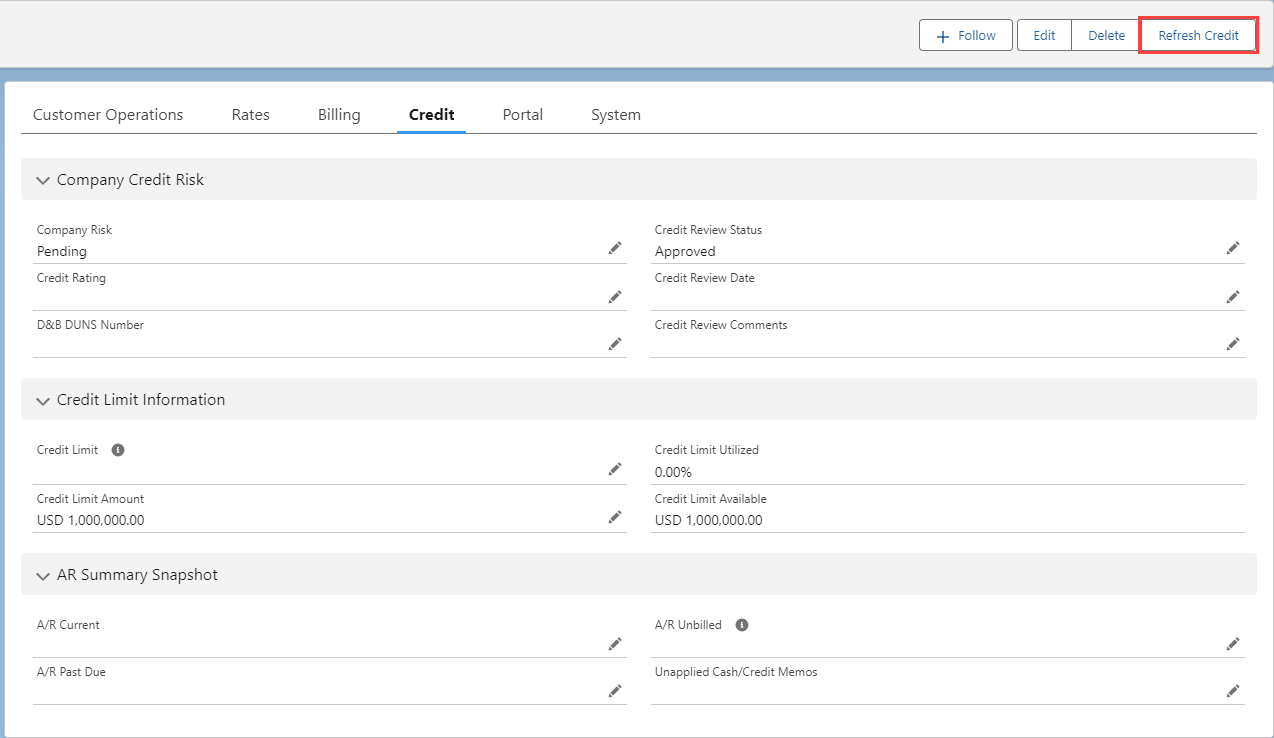
The Refresh Credit button recalculates the available credit as a Platform Event. A/R calculations only include the past 15 months of data. It is assumed that older quotes or invoices are closed or written off.
Warning: Make sure the ARCalculationJob batch job is scheduled to run every morning.
This job automatically calculates the A/R Unbilled, A/R Current, A/R Past Due, Credit Limit Available, and Credit Limit Utilized values.
Customer Quotes with the A/R Ignore flag Checked are not counted.
The calculation below determines the amount in the Credit Limit Available field.
Calculation Triggers
The following TMS features and functions cause credit limits to recalculate to ensure the value of the Credit Limit Available field.
Recalculating Load values
AI Load Wizard when saving Loads or generating Quotes
Saving a new Load from the Load Configuration component
Cloning Loads
Cloning Loads with the RecurringLoadScheduleJob
Freight Quote Assistant actions
Saving a Customer Quote on the Customer Quote Builder
Rerating the Load
Updating a Customer Invoice
Quote Wizard actions in a Customer Portal
Saving a new Load
Creating Quotes for the Load
Cloning Loads from the Customer Portal
RecurringLoadScheduleJob when cloning Freight Plans
Refresh Credit button on the Customer Transportation Profile
ARCalculationJob
Credit Holds
The Customer Quote Credit Hold field is Checked when a Customer Quote is created under the following conditions.
If the Quote Total is greater than the Credit Limit Available.
If the Customer Transportation Profile Credit Review Status is set to Credit Hold.
Loads cannot be tendered until the Credit Hold field is no longer Checked.
Freight Plan Carrier loads cannot be tendered if they contain line items for a customer load on credit hold.
The Credit Limit Source field on the Load record determines whether the Customer or the Customer Bill To is used for credit calculations and checks.
The Refresh Credit button and ARCalculationJob processes do NOT remove any Credit Hold from a Load or Customer Quote. If the credit limit for a customer is increased, manually change the Credit Hold field on applicable Loads from the Load list view.
Shared Credit Limits
Share a credit limit across multiple customer accounts, if desired. Maintain shared credit limits from TMS Admin → Credit Limits.
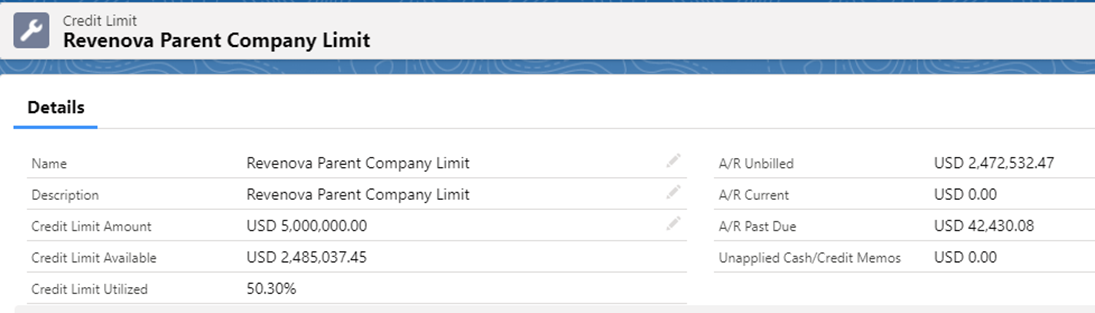
Set the Credit Limit field on any customer Transportation Profile that uses the shared credit limit.
The A/R Calculate Shared Credit Limit calculates both shared and unshared credit limits for all customers included under the credit limit. This calculation occurs as a Platform Event.