File Viewer LWC
The File Viewer Lightning Web Component (LWC) is located on the Documents tab, Files sub-tab, of the Load. This LWC serves as the central location for storing and viewing Load files.
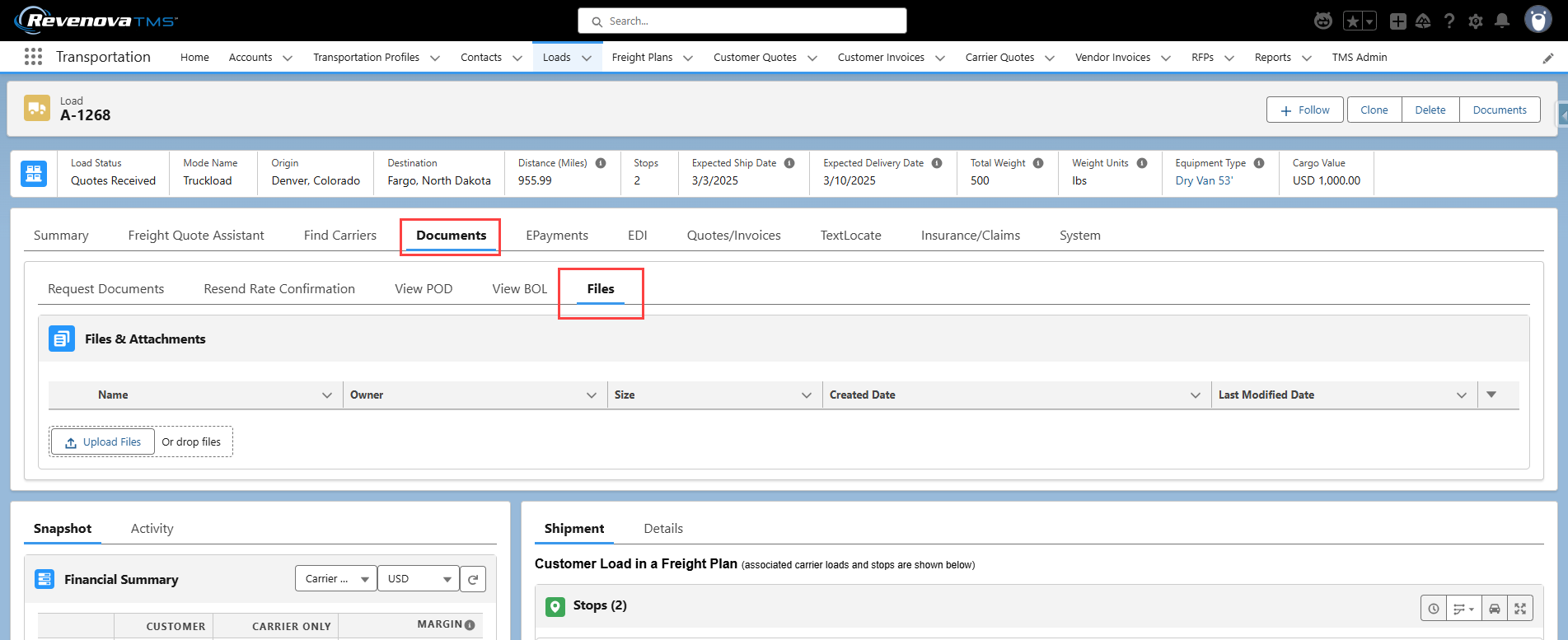
Files may be added manually to the File Viewer LWC with the Upload Files button. Files uploaded to the Load manually are not evaluated to determine if the Customer Invoice Document requirements are met.
Each file is limited to a size of 2GB.
Generated documents are also found in the File Viewer LWC. Generated documents for a load include the following.
Bill of Lading
Carrier Rate and Load Confirmation
Driver Load Confirmation
Shipping Labels
Files may be added to the TMS and stored in the File Viewer LWC from Experience Cloud Sites.
Most files populate the File Viewer LWC through API integrations. The following integrations can send load documents into the TMS.

If using DocuSplit to load PDF documents into the TMS, those files often require compression. To compress images in the File Viewer LWC, see Image Compressor LWC information.
Files uploaded with DocuSplit are not evaluated to determine if the Customer Invoice Document requirements are met. The Customer Invoice Documents Received field may be added to the DocuSplit processing interface and manually Checked when processing documents.