Rate Entries with the Rate Type field set to Fuel are applied to quotes when the Save button is selected in the Freight Quote Assistant, provided that a pre-negotiated fuel surcharge schedule is available to select.
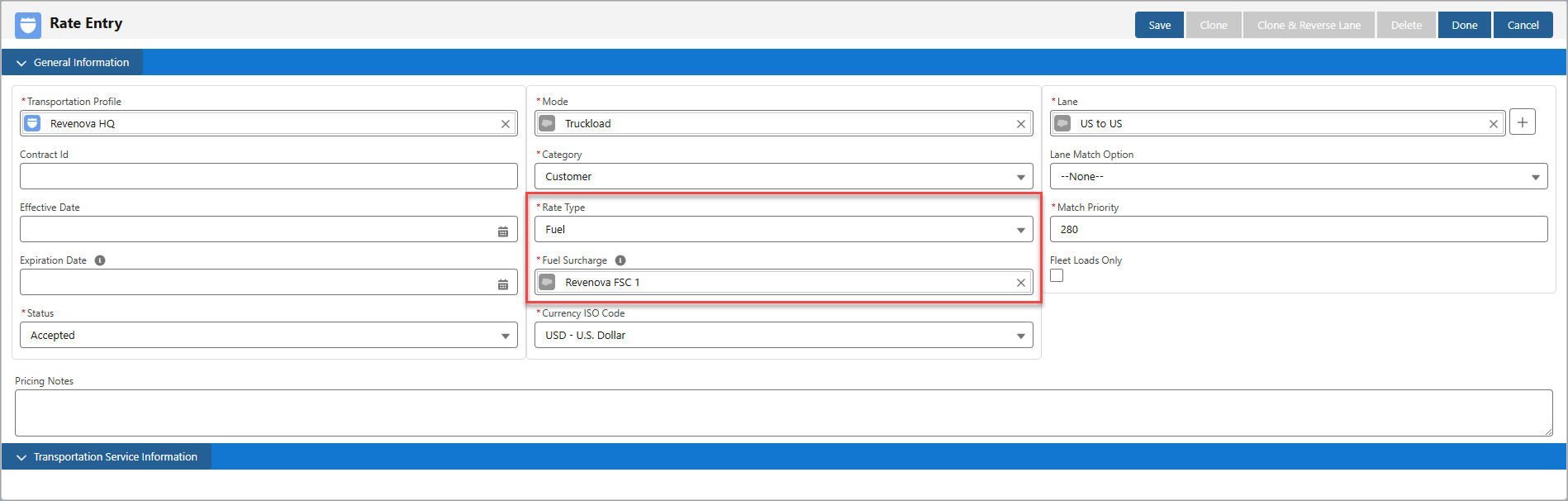
To set up a schedule for the Fuel Surcharge field in the Rate Entry, see the Fuel Surcharge Setup article for more information.
Customer and Carrier Quotes
When there are no matching Freight or Freight+Fuel rate entries for the Customer or Carrier Quote, the Freight Quote Assistant displays the new quote builder, and an information message appears about the fuel-only rate entry.

If the Category is Customer in the fuel-only rate entry and the Rate Entry matches the Load, the Fuel Surcharge in the Customer Quote will automatically update based on the schedule selected for that Rate Entry and the Load's Expected Ship Date.
Note: When the Fuel Surcharge Type field is TMS and the Auto-Update Quotes/Invoices is Yes in the Fuel Surcharge schedule, the Fuel Surcharge automatically updates for pending quotes and invoices if the fuel index changes. See the Fuel Surcharge Calculation for more information.
Once the Save button is selected, a new Customer Quote is created, with the fuel-only rate entry applied.
.png)
An information message appears at the top of the Freight Quote Assistant regarding the automatic calculation of the fuel-only rate entry.

The same logic also applies to Carrier Quotes. Create a Rate Entry with Category as Carrier and select a Carrier Service to apply fuel-only rate entries to Carrier Quotes. In the new Carrier Quote builder, the Carrier Service selected must match the same one on the fuel-only rate entry to apply it to the Carrier Quote.
Note: The Carrier Service record selected must also have the Quote Method field set to Stored Rate in order for the fuel-only rate entry to apply.
Once the Save button is selected, the Rate Entry lookup field updates to the fuel-only rate entry, and the rate entry is applied to the quote.
.png)
Customer and Carrier Invoices
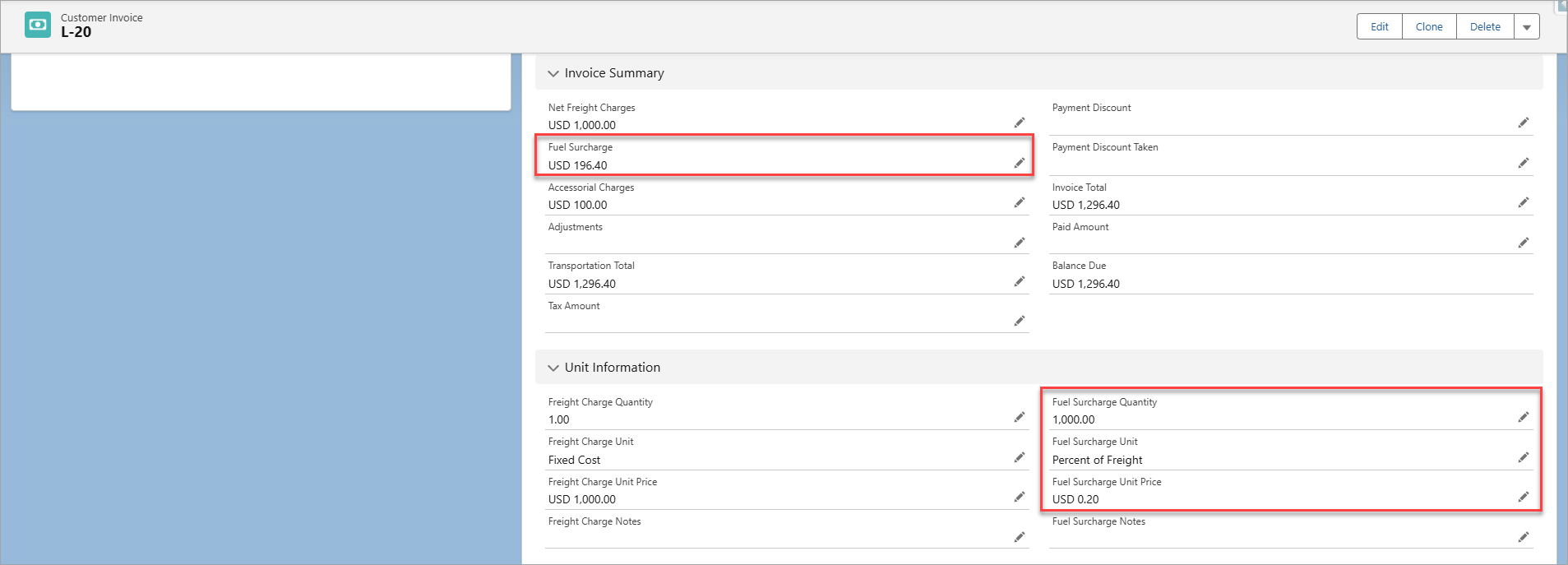
The Fuel Surcharge information from the Customer and Carrier Quotes will also populate into the auto-generated Customer and Vendor Invoices for the following fields:
Fuel Surcharge
Fuel Surcharge Quantity
Fuel Surcharge Unit
Fuel Surcharge Unit Price