Overview
Actions You Can Take on Search Result Rows
On the far right of each row, there is a drop down with actions.
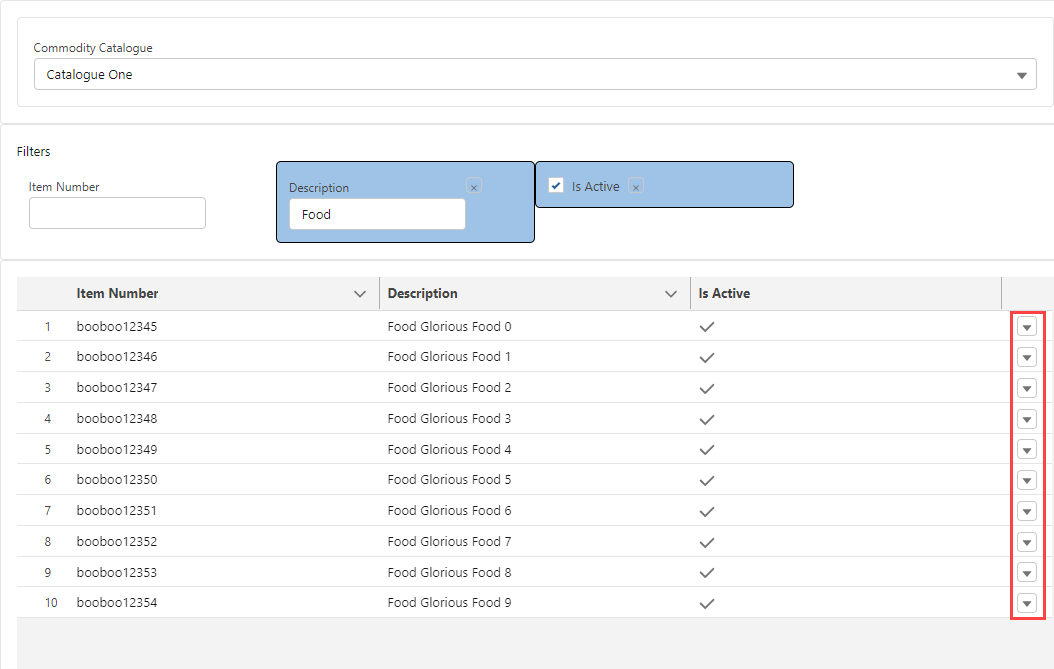
The possible actions include:
Select - clicking Select…
Copies all information from the Commodity record onto the Line Item record that was originally selected.
The dialog closes and returns to the Line Item editor with fields populated from the commodity record.
Select and Save to Customer Catalogue -
Only appears if:
the user has selected a global catalogue AND
the user has create permission on the Commodity object.
Copies all information from the Commodity record onto the Line Item record that was originally selected.
Clones the Commodity record from the Global catalogue into the Customer catalogue.
When a Commodity has an NMFC number AND the customer catalogue already includes a commodity with that same NMFC Number:
The copy is cancelled.
An error is displayed to the user.
Control remains on the Enhanced Commodity Search dialog.
The dialog closes and returns back to the Line Item editor with fields populated from the Commodity record.
If the Is Active filter is set to show inactive commodities in the search results, if the Commodity in the search results is inactive either because the First Stop Pickup Date is before the Effective Date or after the Expired Date, then no action is available on that search result row commodity. See Active Commodities.