Overview
Load Postings
The Load Posting Lightning Web Component (LWC) is located on the Load page layout by default. This LWC allows for a Load to be posted to multiple Load Boards through multiple TMS integrations.
The Load Postings LWC supports the following features:
Post a load to a single Load Board using the button in the Load Board’s row.
Post a load to all available Load Boards using the Post/Remove All button.
Refresh all of the load’s postings with the current info on the LWC using the Refresh button.
Remove a posting from a single Load Board using the button in the Load Board’s row.
Remove all of the load’s postings using the Post/Remove All button.
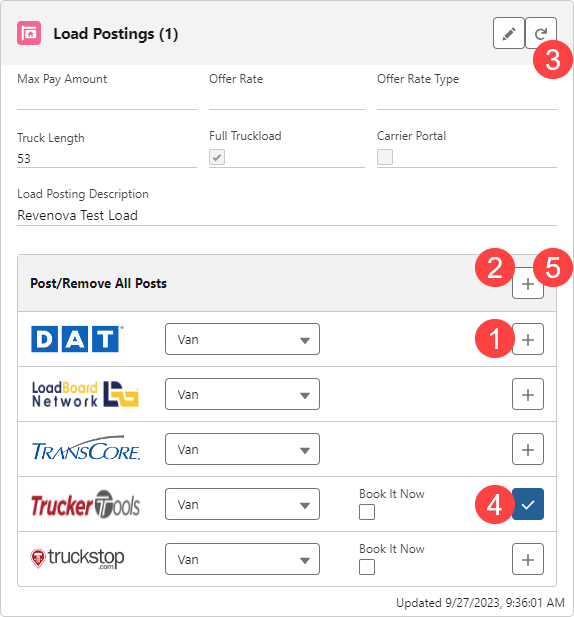
The following load fields are included in the Load Board postings when populated:
Offer Rate
Offer Rate Type
Load Posting Description
Truck Length
Initially determined by the load's Equipment Type length.
Full Truckload
Initially checked if the load's Mode is a non-LTL Mode.
Load Board Posting Equipment
Determined by the load's Equipment Type posting defaults.
The remaining fields are not included in the posting:
Max Payment Amount
Informational only.
Carrier Portal
When checked, the load is available in the Carrier Self-Service Portal.
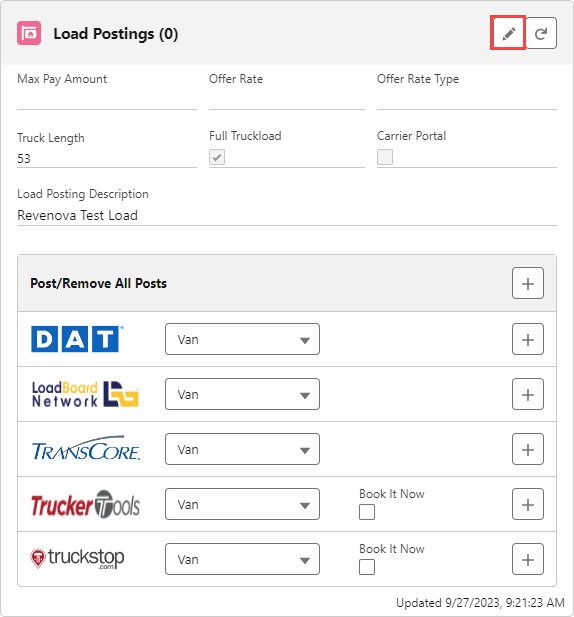
All of the above fields may be edited in the LWC. Click the Edit button to make changes to the fields.
Two batch process jobs run continuously to update information in the Load Postings LWC. They perform the following functions:
Delete stale Truck Postings.
LoadandTruckPostingManagementJob
Post Auto-Post loads.
LoadandTruckPostingManagementJob
Delete Load Postings for covered loads.
QueuedTransactionJob
Refresh active Load Postings periodically.
LoadandTruckPostingManagementJob
Purge and Recreate active Load Postings each morning.
LoadandTruckPostingManagementJob
Load Board Aliases
The TMS supports "aliases" when using Load Board postings. Enter values in the Posting City and Posting State/Province fields. An alias allows small town locations that are close to larger metro areas to display as the more recognizable location.
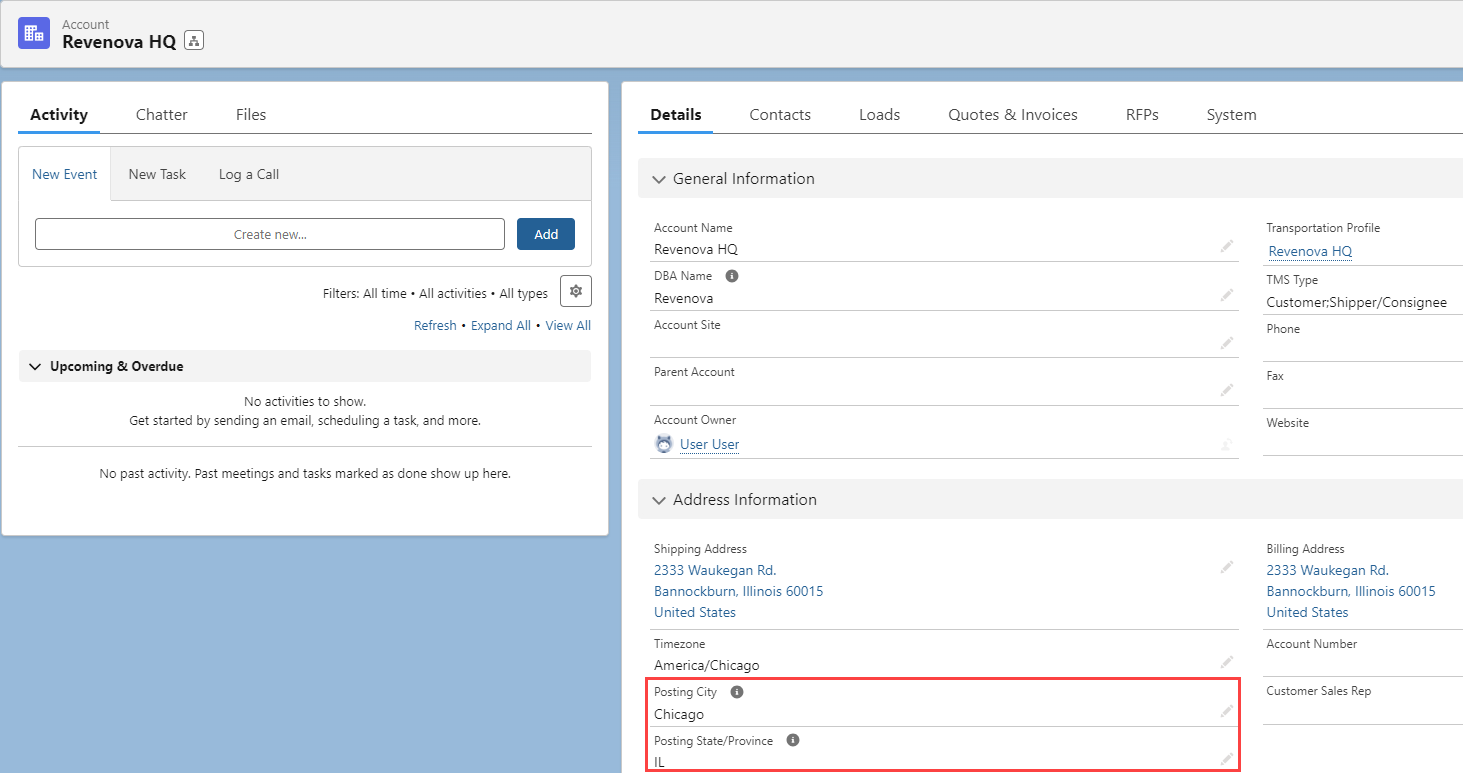
The Truckstop Load Board does not support posting aliases.
Carrier Engagement Automation
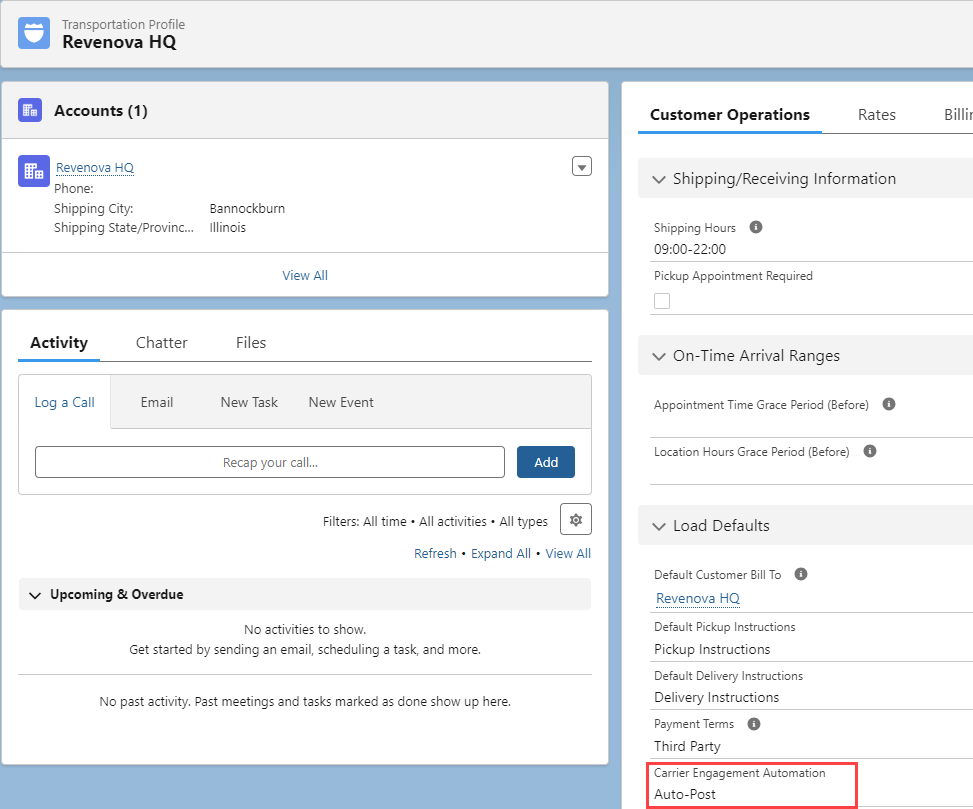
Loads for a customer may be auto-posted to Load Boards. From the customer Transportation Profile, find the Carrier Engagement Automation field. Choose the Auto-Post value and Save. When selected, loads are posted automatically to any Load Boards that are set up in the TMS.
Load Boards
For more information, see the individual Load Board articles.