Overview
Carrier Service Setup
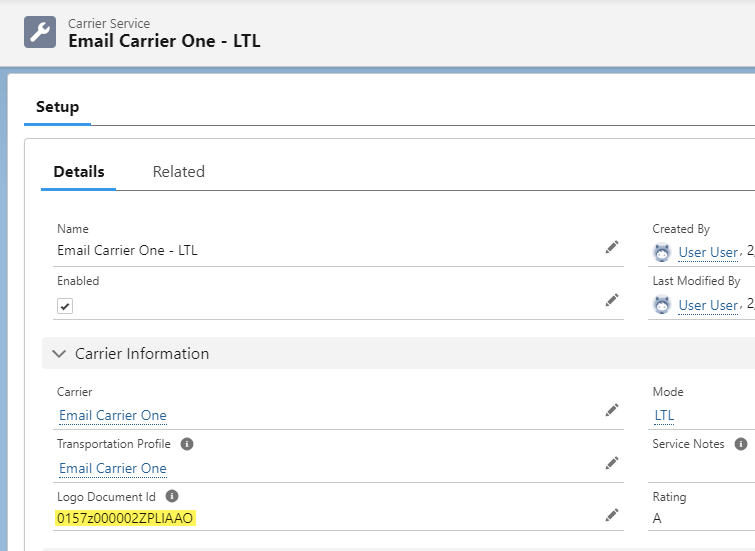
The Carrier Service record defines the attributes for quoting, tendering, and Carrier Status updates. The first section of this detail page contains the following fields:
.png)


Select the Mode for reporting and informational purposes. The Minimum and Maximum Weight fields determine when a Carrier Quote is auto-generated for a load.
The Transportation Profile selected must be the same as the Transportation Profile selected on the Carrier’s Account record.
The Rating field is displayed when presenting Carrier Quote lists to both internal and Customer Portal customers.
The next section defines how communications are handled with carrier during the quote, tender, and load status operations.
Quote Method choices are:
Email
Phone
Fax
API
Stored Rate
Tender Method choices are:
Email
Fax
API
EDI
Status Method choices are:
Email
Phone
API
The appropriate contact(s) must be entered from the Carrier Account for Email, Phone, and Fax method choices. These are the primary contacts (or addressees for the emails).
The Load Weight & Volume Thresholds section defines weight and geometry limits that are applied against loads during Carrier-Load matching.
The fields in the Pickup Cutoff Information section is used to generate notifications in both the Customer Portal and in the TMS for Loads that have a pickup date of today. See the “Carrier Pickup Cutoff Time Notifications” section to configure this feature.
The Credentials field should only be populated for API-based Carrier Services. It should be the Record ID from the TMS Admin 🡪 Credentials page for the appropriate Carrier.
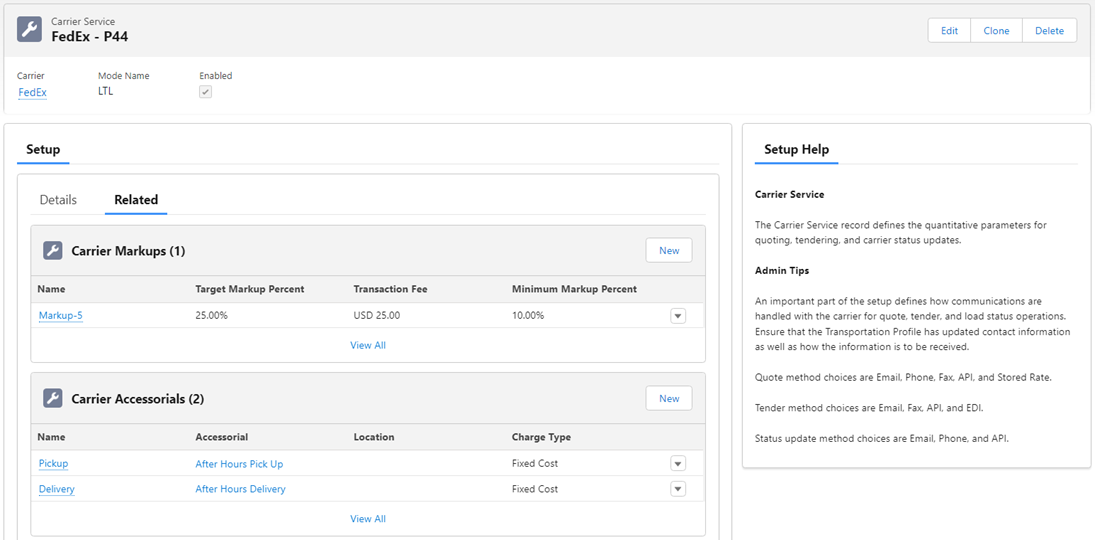
The Related subtab shows the related sections are as follows:

API Carrier Services
Banyan
Create a Carrier Service for each Carrier receiving quotes and tendering loads through Banyan.
Check the Enabled checkbox.
Set the Quote Method, Tender Method, and Status Method to API.
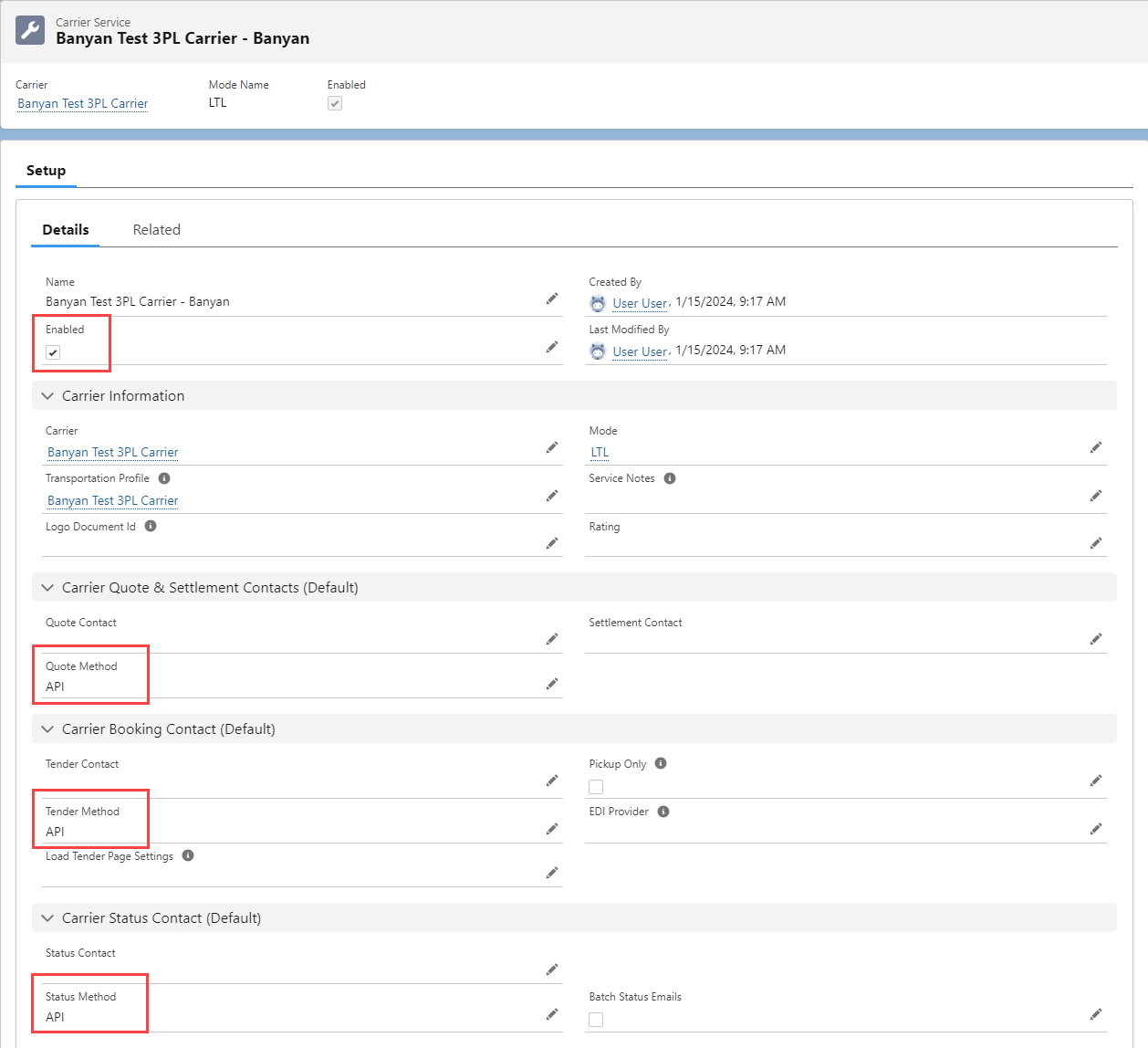
The API Provider must be set to Banyan.
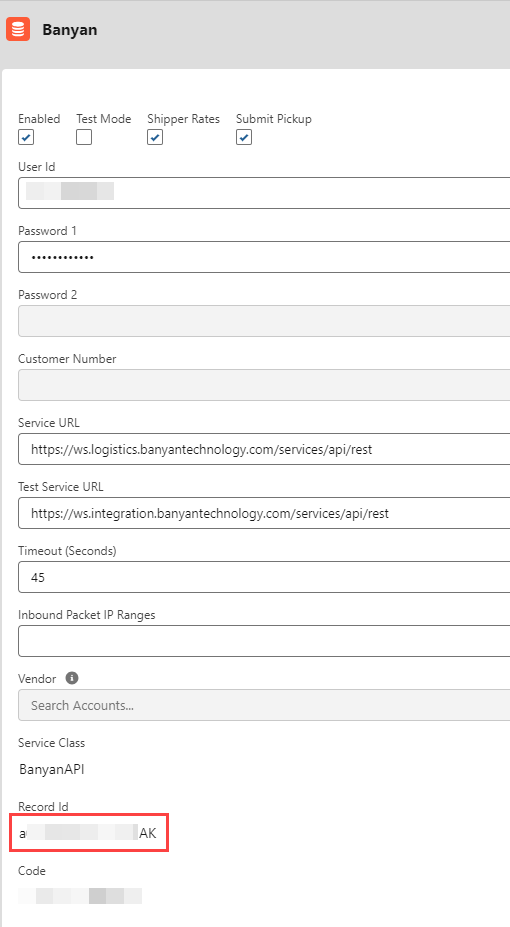
The Credentials field is the Record Id of the Banyan credentials found under TMS Admin → Credentials.

SMC3
To set up an SMC3-based Carrier Service, perform the following steps:
Quote Method Field Setting: API.
Tender Method Field Setting: Email.
Status Method Field Setting: Email.
Credentials Field Setting: The record Id of the SMC3 RateWare credentials from TMS Admin → Credentials.
API Provider Field Setting: SMC3 Rate Ware.
It is possible to set up Fuel Surcharge and Accessorial rate entry records for SMC3-based quotes (as only Line Haul is provided via the API).
Carrier Logos
Display a Carrier logo for a specific Carrier Service in the Customer Portal quote list.
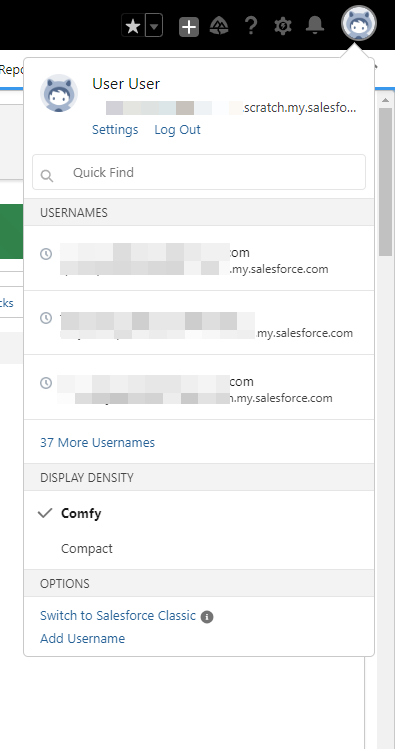
Switch to Salesforce Classic.
Select the Avatar in the upper-right corner and choose Switch to Salesforce Classic.
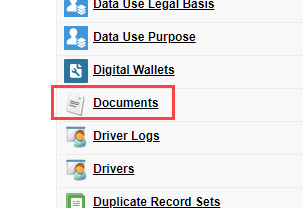
Click the + action on the navigation bar to view additional options.

Choose Documents and then select TMS Logos.
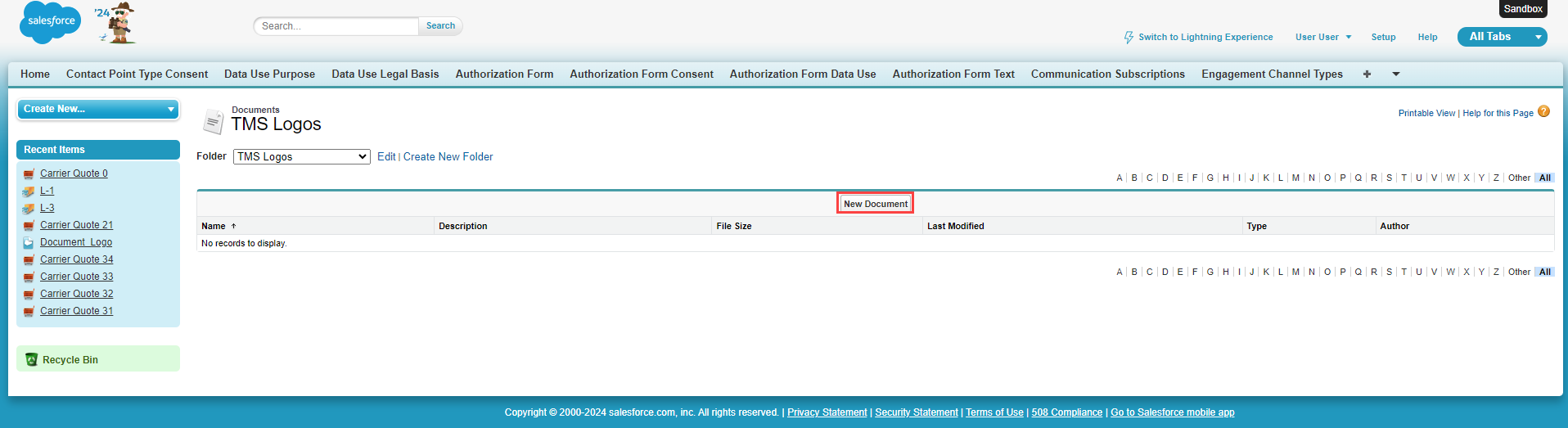
Select the New Document button.
Enter a Document Name
Check the box for Externally Available Image.
Click the Choose File button and select the logo image to upload.
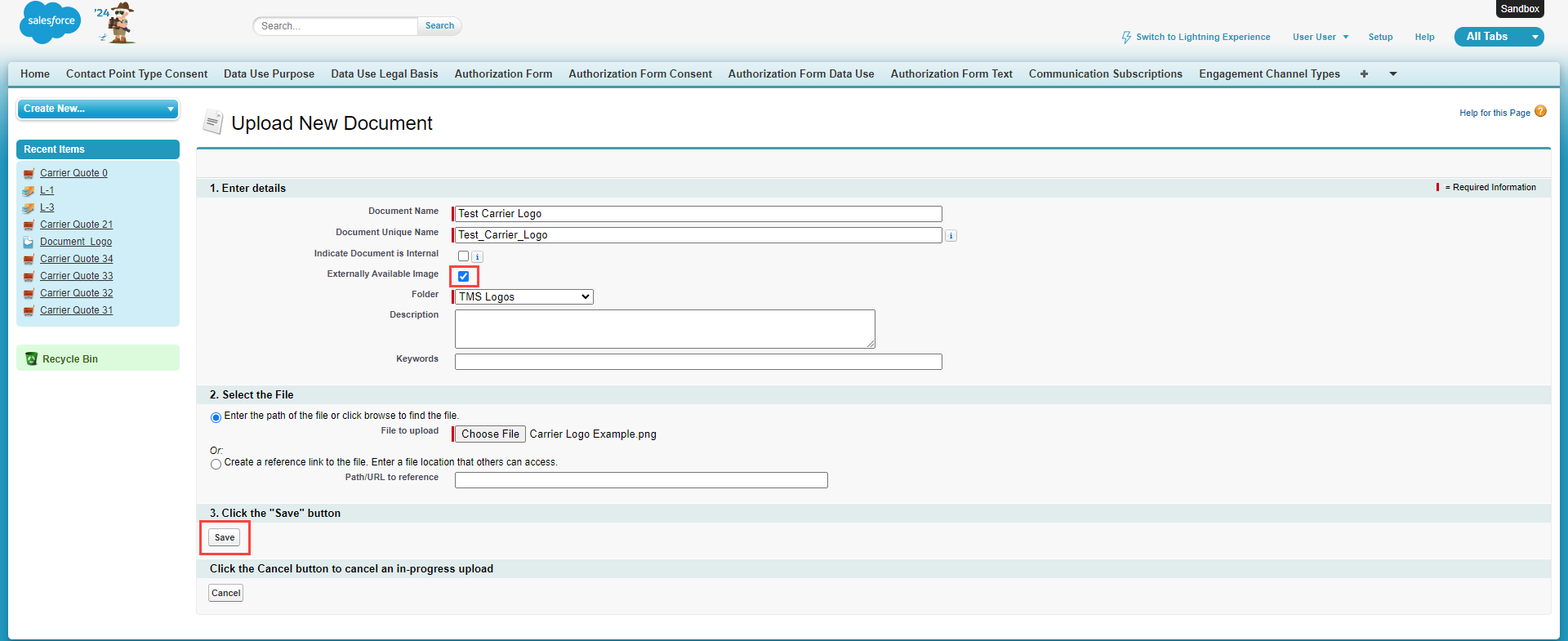
Click Save.
Copy the record ID for the image. This can be found in the URL for the document. It may be necessary to convert the 15 character to 18 character record ID.

Paste the 18 character document record ID into the Logo Document Id field on the Carrier Service record.