Overview
Accessorial Exclusions
Accessorial Exclusions prevent Carrier Services from carrying loads with a specific accessorial. These exclusions are created on the Carrier Transportation Profile and are found in a related list.

Create Accessorial Exclusions from the Carrier Transportation Profile by clicking the New button to open the modal.
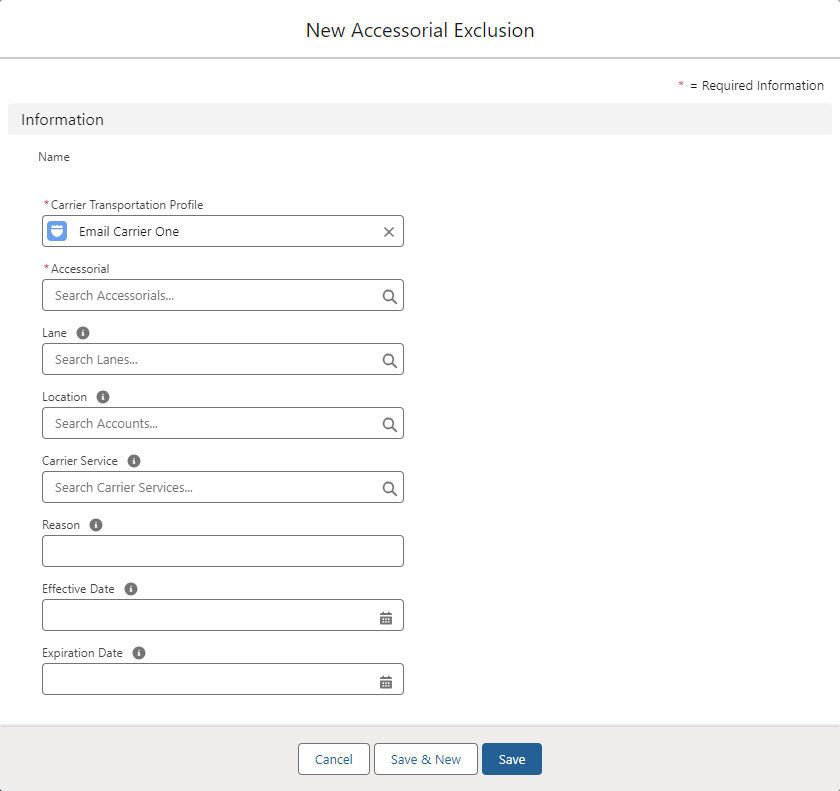
When creating a new Accessorial Exclusion, the Carrier Transportation Profile and Accessorial record fields are required. Additional fields provide more control to determine when the Accessorial Exclusion is applied. Optional fields include:
Lane
Location
Carrier Service
Reason
Effective Date
Expiration Date
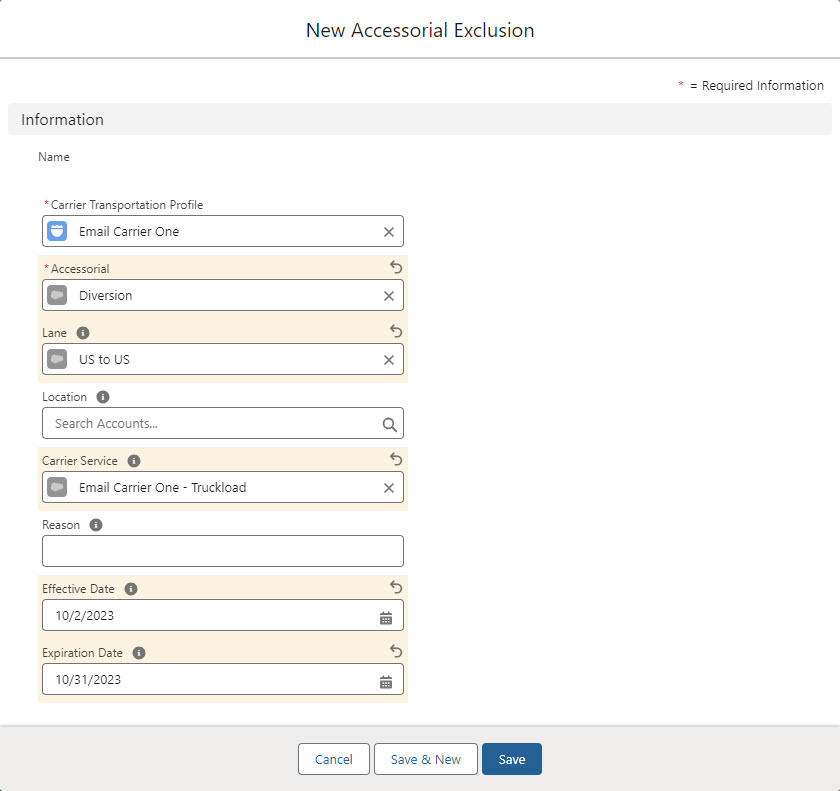
Click Save when the information is added for the exclusion.
The Expected Date for the first Stop of the Load determines whether the Exclusion applies to the Load. The Expected first Stop date must fall on or between the Effective and Expiration Dates.